





No more chasing proforma invoices
Retailers you flag pay in the checkout, so there are no bank transfers to match by hand.
An unpaid order waits in Colect and never reaches your ERP. The retailer can resume the payment later.


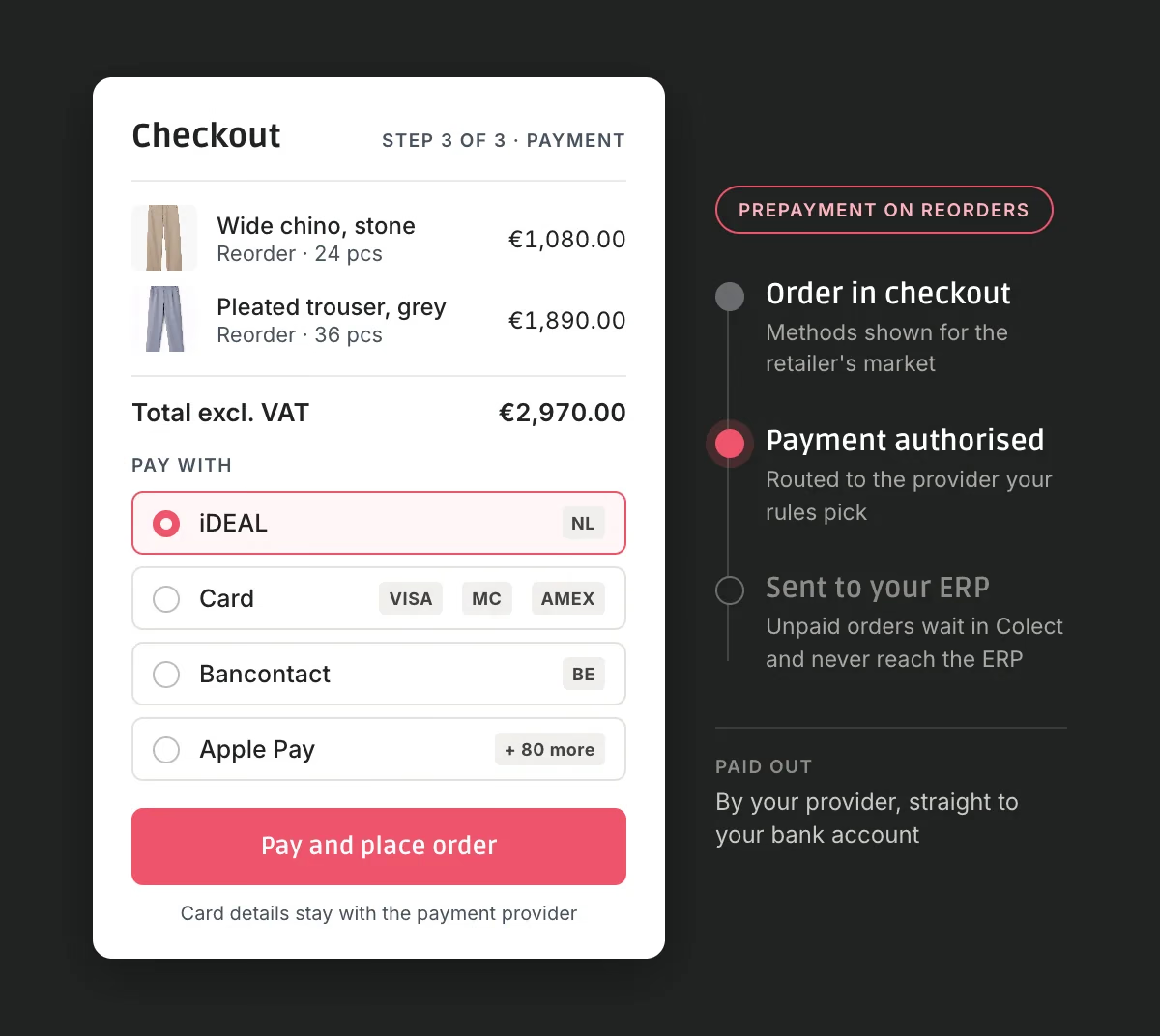
Retailers you flag pay in the checkout, so there are no bank transfers to match by hand.
An unpaid order waits in Colect and never reaches your ERP. The retailer can resume the payment later.
A boutique in Amsterdam wants iDEAL, one in Antwerp Bancontact, one in Stockholm Swish.
Each market sees the methods it knows, in the same Colect checkout.
Already on Adyen, Stripe or Mollie? Bring it with you, at the rates you negotiated.
Add a second provider, A/B test two checkouts and negotiate from strength. Swapping a provider needs no development.
If you already take cards, you pay a percentage of every order. Many local bank methods cost far less, and prices differ per provider and per country. On an order of several thousand euros, that is real money.
Set rules by country or order value, and stop paying one provider's rate for everything.
20% to 50% lower provider costs in published cases, depending on payment mix, volumes and agreements.
Colect is a wholesale platform, not a payments company, so Colect Payments runs on Briqpay.
Your payment methods, rules and reports in one place.A payment orchestration platform: software that connects one checkout to many payment providers.
Missing one? Briqpay builds it on request, included.
Cards and more



Also Nets, Worldline, Nuvei, PayOne, Braintree, Swedbank Pay, Altapay and Paytrail.
The way retailers pay at home


Also Swish, Blik, EPS, MyBank and Przelewy24.
One tap on phone or tablet



Also MobilePay, Vipps and Twint.
A specialist carries the credit risk



Also Resurs and Ratepay.
Briqpay customers in fashion, retail and B2B. Colect Payments runs on the same platform.







A Nordic outdoor group with three retail brands in 20+ markets moved from one provider to direct agreements per payment method.
8848 Altitude, an outdoor apparel brand, built a payment mix for each market and gained 15% in conversion.
Boob Design, a maternity fashion brand, directly on Briqpay, from first contact to first transaction.
“The savings we made on transaction fees give us the financial edge to power our continued expansion.”
“The easiest integration we've made in 15 years.”
The retailer orders as today, on your invoice terms.
Established accounts with a good payment record.
Every order is paid in the checkout, apart from order types you exclude, such as consignment or quotation orders.
A new boutique in its first season.
Pre-orders stay on invoice terms. Reorders from stock are paid up front.
Accounts you trust with the seasonal order, not with every top-up.
No separate payment portal for retailers, and no re-entering of order details.
A retailer you flagged completes an order in your B2B webshop.
The checkout shows the methods you enabled for that market.
The payment goes to the provider your rules pick.
The order goes to your ERP as usual.
Your provider pays out to your own bank account, under your own contract. It never passes through Colect or Briqpay, for any payment method.
Automatically, per retailer
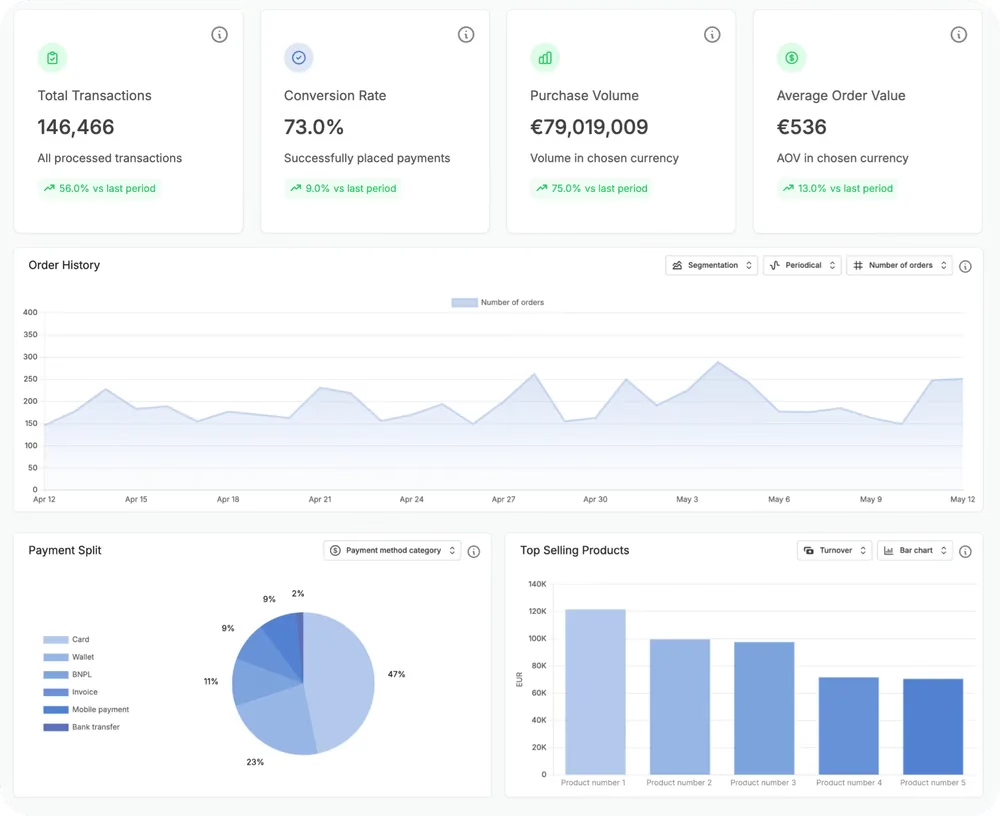
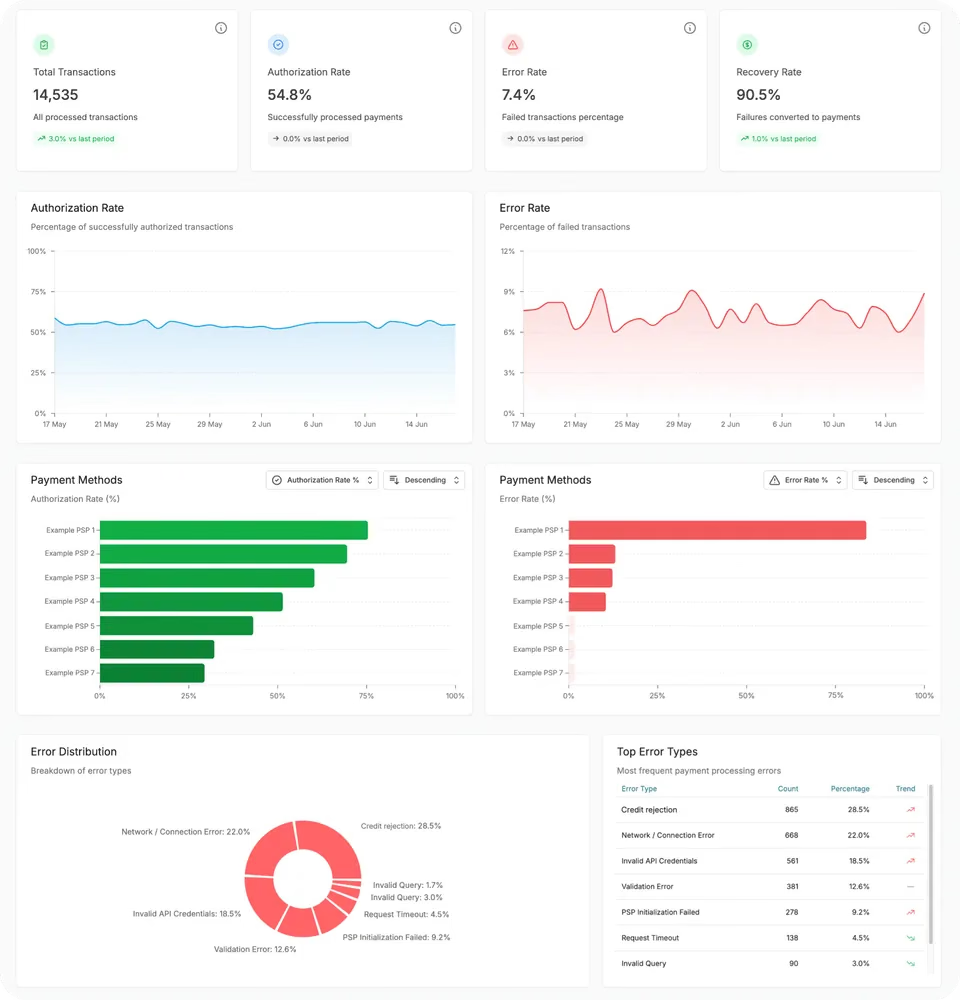
Your payment control centre
Entered and processed in your provider's PCI-certified environment. Neither Colect nor Briqpay stores it.
Encrypted at rest and in transit, and never shown again after saving. Test and live set-ups are kept apart.
Every status update Colect receives is cryptographically verified before an order is placed.
Briqpay runs in Google Cloud data centres in Frankfurt.
A monthly licence and a fixed fee per transaction, on top of your provider's fee. We'll show you the total for your volumes and markets.
Per month, paid to Colect.
Includes every payment method on the platform and support. There is nothing to pay to Briqpay.
Per transaction, paid to Colect.
Fixed: the same on a €1,000 order as on a €20,000 order.
Paid to your provider.
If you already take cards, this is the cost that can go down.
Colect and Briqpay are already connected. We check with you what it takes for your ERP and connector.
Use the one you have, or sign with a new one.
Set it up in the Colect Admin Panel and choose which order types are excluded.
Everything runs in a test environment first.
Measure the cost per transaction and the days to cash, then roll out to the next market.
Webshop only. Orders your sales reps write in the Sales App follow your normal invoice flow.
Captured at checkout. Your provider takes the payment automatically when the order is placed, not when it ships.
Your ERP: see how SAP, Business Central and NetSuite connect, or all integrations.
No. The payment step sits inside the Colect checkout, and the order confirmation comes from Colect. Briqpay doesn't email your retailers. Pay-later providers send their own invoices.
Yes. Billie, Two, Ratepay, Resurs and Svea are live in Briqpay, and it can add others. The provider makes a credit decision on the retailer in the checkout and carries the payment risk. You need a contract with the provider: an existing one or a new one. Briqpay can put you in touch.
Refunds and cancellations are done in Briqpay's portal, and they don't update your ERP on their own. To run them from your ERP, connect it to Briqpay's order management API, which takes development on your side.
Tell us which markets you sell to, which ERP you run and which payment provider you use today.